
How savings categories work
How savings categories work
A savings category is for money you put away, like KiwiSaver, an emergency fund, or investments. It still lives in your expense list, but we treat it as money set aside rather than money spent.
Rule of thumb: Use a savings category for regular set-asides. Use a goal when you have a target date, like a house deposit or a holiday.
1. A quick summary
When you mark an expense category as a savings category, those amounts stay on your expense budget list and are included in your expense totals, leftover, and left to budget. They are not counted as spending in Money Insights or cashflow leftover.
That means your budget still shows the money leaving your everyday account, while cashflow and Money Insights show what you actually spent.
2. When to use a savings category vs a goal
- Use a savings category - when you put money away every period and there is no finish line. Examples include KiwiSaver or super, an emergency fund, or regular investing.
- Use a goal - when you are saving toward something specific with a target date. The goal then shows how much to put aside and whether you are on track, behind, or off track.
3. How to mark a category as savings
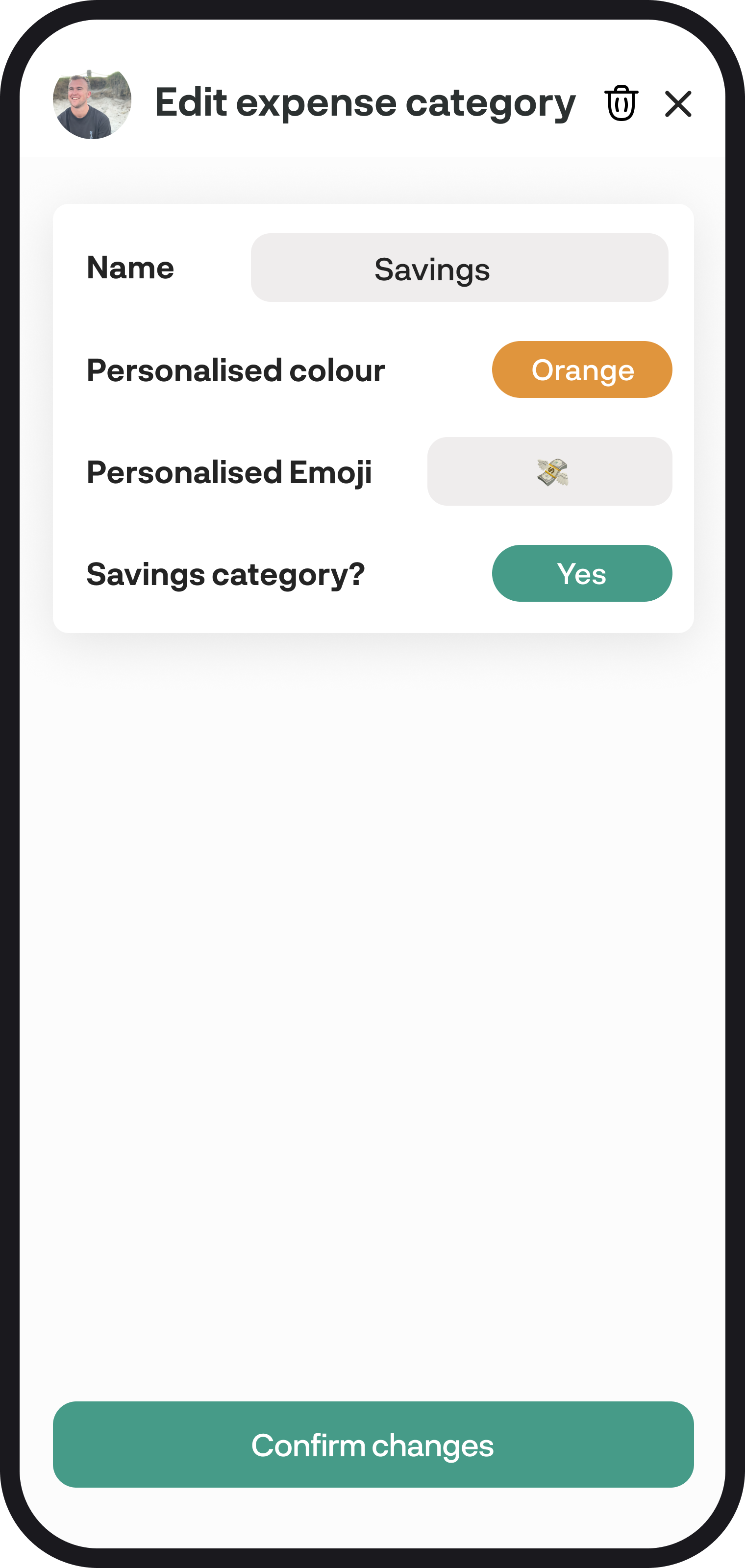
You can turn this on when you create or edit an expense category:
- Go to Settings and tap Create and edit categories
- Open an expense category, or tap New category
- Find Savings category and switch it to Yes
- Save the category
You can also do this when you create a new expense category from a transaction, merchant, or budget.
Need help creating categories first? Read How to create, edit & delete categories.
4. How it shows up across BudgetBuddie
- Budget - the category stays in your expense list. The amount is included in expense totals, leftover, and left to budget. ✅
- Cashflow - savings is leftover plus money marked as a savings category. Money you put away does not count as spending. ✅
- Money Insights - savings-category amounts are not counted as spending. ✅
- Goals - regular set-asides belong here as a savings category, not as a goal. ✅
5. Transferring money into savings
When you move money from your everyday account into a savings or KiwiSaver account, you usually get two transactions: money out, and money in.
To keep the numbers clean, categorise only the everyday-account outflow as your savings category, and leave the matching credit as Transfer.
If you categorise both sides as savings, you'll double-count the amount.
You're all ready to go 🎉
Woohoo! You now know when to use a savings category and how it affects your budget, cashflow, and insights. If you run into any issues, feel free to get in touch with us at hello@budgetbuddie.co.nz