
Migrating your accounts to open banking
Migrating your accounts to open banking
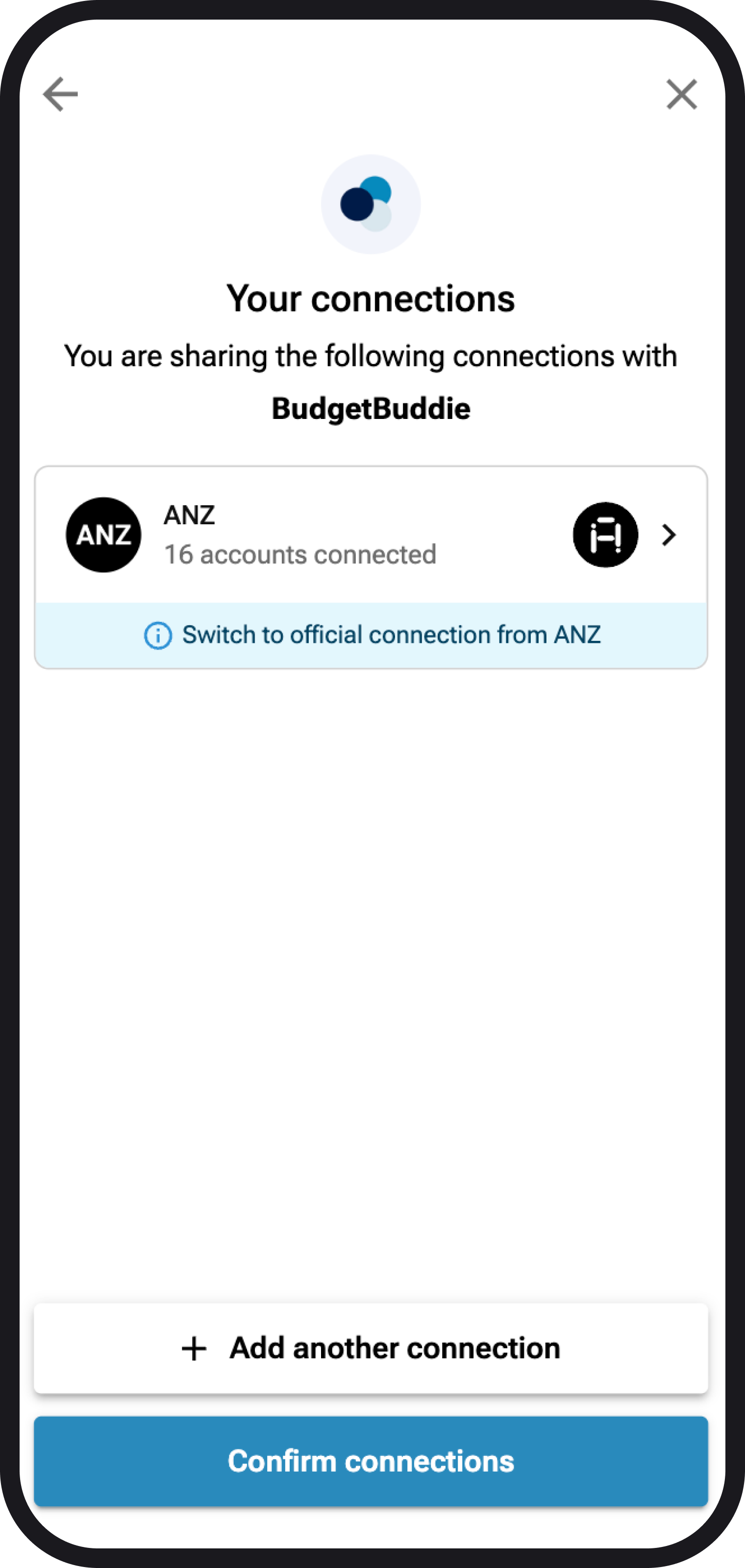
Open banking connections are where you directly authenticate with your bank, rather then using your credentials within the Akahu portal itself. Open banking is now available across the big 4 banks in New Zealand, which are ANZ, BNZ, ASB and Westpac. Below is a helpful guide on how to migrate from classic connections with these banks, to official open banking connections. Please also take note of step 5 for some nuances to be aware of with these connections.
1. A quick summary
The migration from classic connections to official open banking connections is super easy and should only take a couple of minutes. Your data won't be lost during the process, it's simply a connection update.
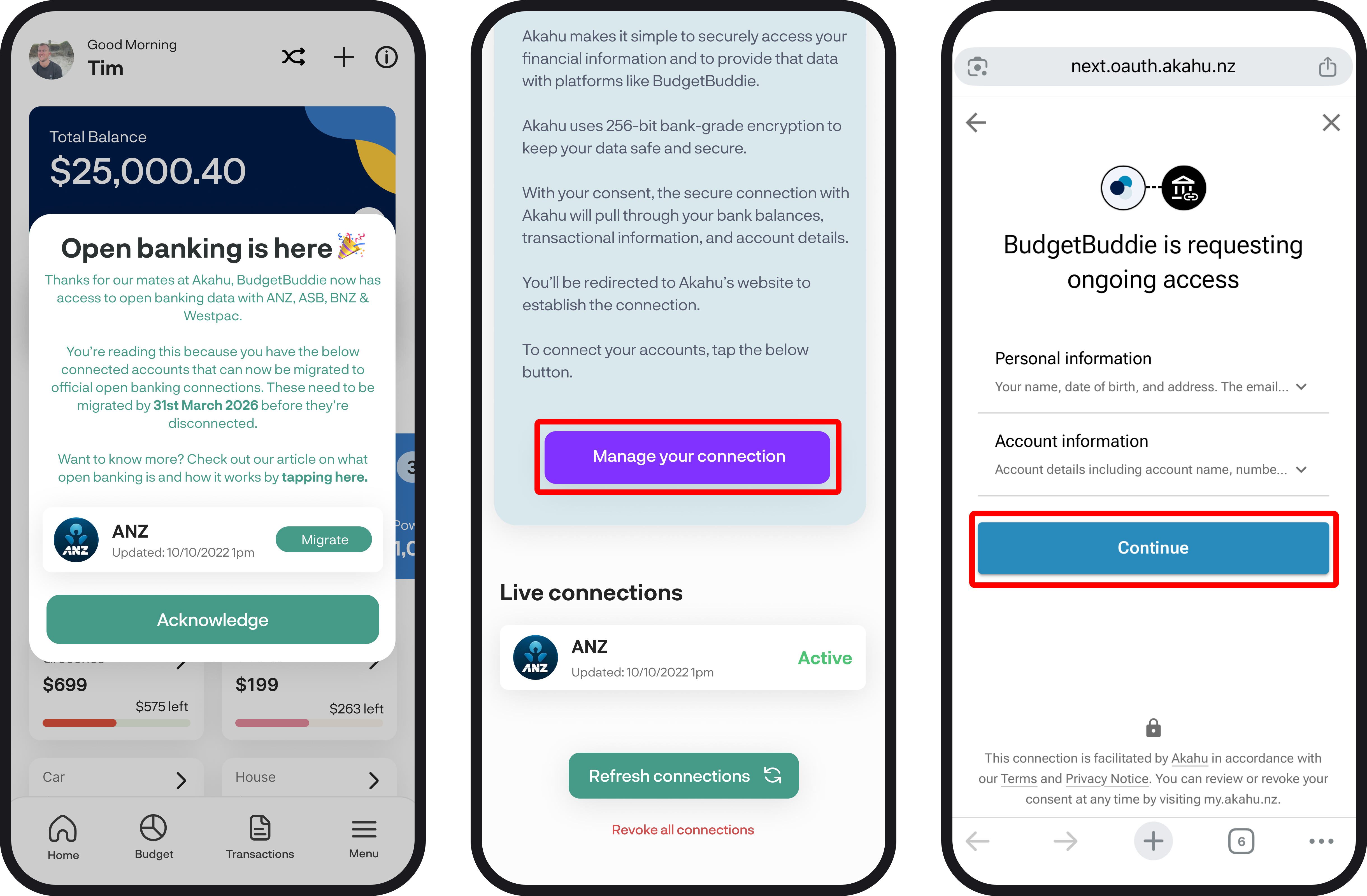
2. Manage connection
To start the migration, simply navigate to the connect accounts feature and select any of the bank icons or scroll down and select 'Manage connection' on the Akahu widget. Alternatively, you'll also see a pop up after you log in to migrate to an open banking connection if we detect any of your accounts being as a classic connection.
3. Migrating to open banking connections
Once you've logged into Akahu, you'll see your current connections. Where open banking is available, you'll see the screen below, where you can select the account to switch to an open banking connection. If you do not see the option to switch to open banking, your connection does not support open banking yet. If you have no connections there at all and they have been revoked, you can reconnect via the usual connection flow here.
Once you follow the below screens, you'll then be directed to your banks mobile app to handle the migration and select the accounts you want to connect. If you do not have your banks mobile app downloaded, you may be required to install it to handle the connection. Or alternatively, you'll be directed to handle the connection via their website, this will all be handled via the Akahu connection flow.
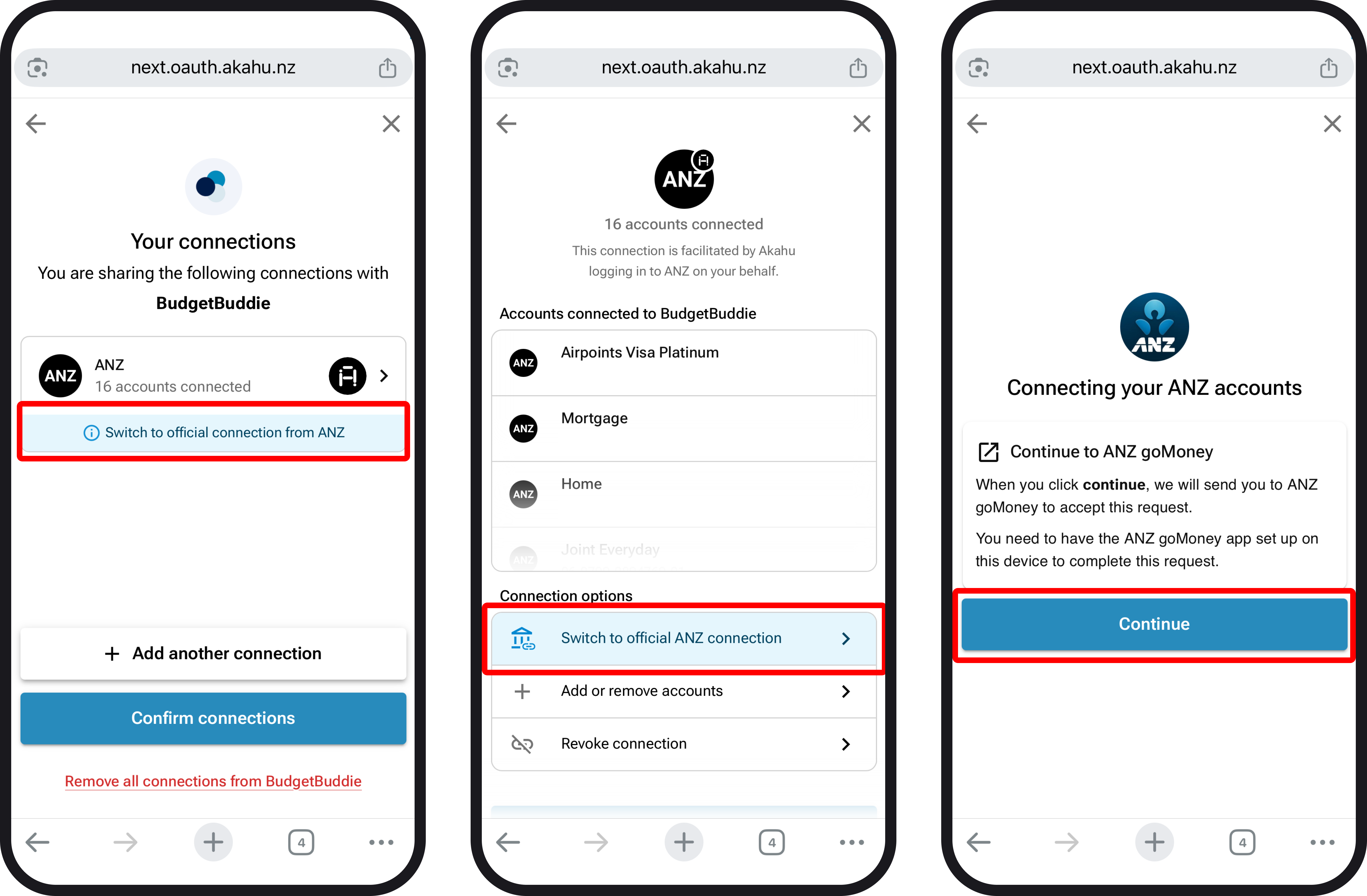
Note: If you remove or add an account during connection for open banking, this will flow through onto the app, where your removed account will be deleted along with the transactions within it. If you add an extra account during migration, we'll add this in and load in any transactions as well.
4. Confirm connections
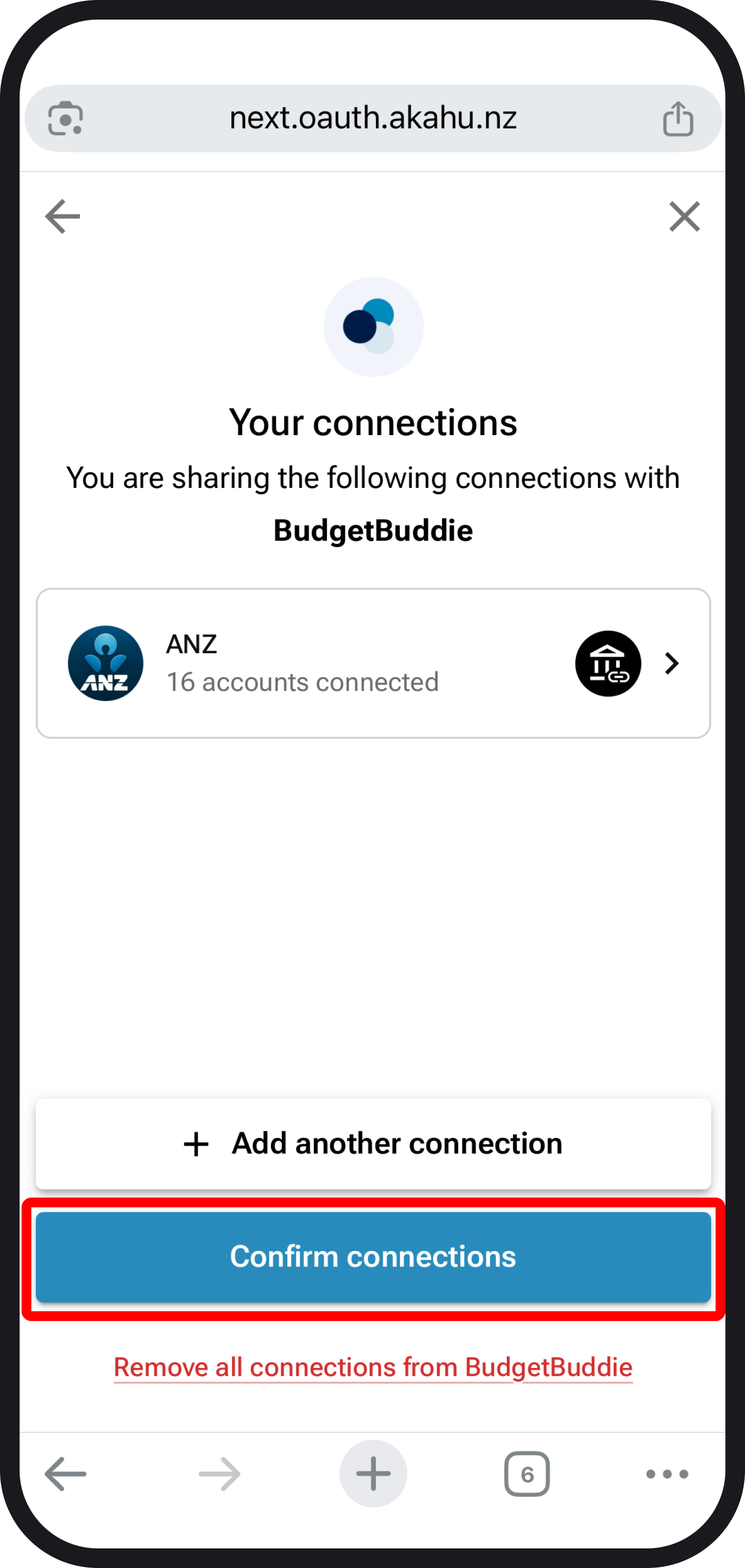
Once you've selected the accounts you'd like to share with BudgetBuddie via your official open banking connection flow, you'll be redirected back to Akahu. From there, you'll see the screen below, where you can select 'Confirm connections, which will then redirect you back to BudgetBuddie. We'll then handle the migration of data and get everything updated for you. Then that's it, you're all migrated to an official open banking connection.
5. Some things to note with open banking connections
Because open banking has only just launched and is still being actively developed, there are some limitations on the available data for certain accounts. Those limitations are below:
- Kiwisaver, Managed fund and Foreign exchange accounts for BNZ, ANZ, ASB and Westpac are not available yet via open banking connections
- Term deposit accounts are not available for BNZ open banking connections
- Open banking accounts do not support loan details that you'd typically see in account details for classic connection accounts
- In some cases, transactions can take up to 3-5 minutes to load in. This is due to the speed of the banks processing of transactions to Akahu. In these cases, you'll see a loader in the top right of the transactions screen. Transactions will load in the background, so if you close the app, this won't interrupt the sync.
- Some transaction names can vary compared to previous data from Akahu, this impacts transaction rules since rules are based on transaction names. You'll need to update or create any new rules to handle this.
You're all ready to go 🎉
Woohoo you're all set! If you run into any issues while migrating to open banking connections, feel free to get in touch with us at hello@budgetbuddie.co.nz.